TL;DR: The M5 Pro and M5 Max bring Neural Accelerators to every GPU core, cutting prompt processing time 3.3-4x versus M4. A prompt that took 81 seconds now takes 18. The M5 Max's 128GB unified memory fits a 120B-class MoE model, like GPT-OSS 120B or Qwen3.5 122B-A10B, entirely in RAM at 60-90W. Deciding between the two chips? See the M5 Pro vs M5 Max comparison.Updated July 2026 with shipping availability and current model picks.
The M5 Pro and M5 Max MacBook Pros have been shipping since March 11, 2026, and they remain the most significant hardware release for local model runners since the Mac Studio M2 Ultra: up to 4x faster LLM prompt processing versus M4, 128GB of unified memory, and Neural Accelerators embedded in every GPU core. This page covers what each chip actually runs and how fast; for a head-to-head buying decision, use the M5 Pro vs M5 Max comparison.
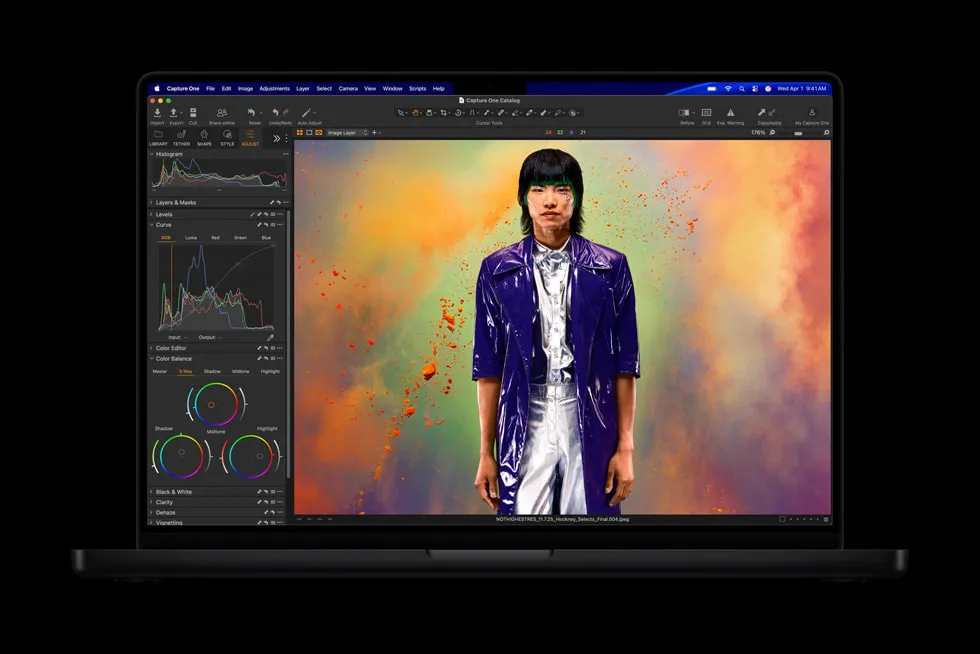 Apple officially showcased LM Studio running on the new MacBook Pro. That's not an accident.
What Changed in M5, and Why Does It Matter for LLMs?
The M5 Pro and M5 Max use a new Fusion Architecture (two bonded 3nm dies) with the key breakthrough being Neural Accelerators embedded in every GPU core. The M5 Max has 40 GPU cores, meaning 40 Neural Accelerators working in parallel alongside the standard 16-core Neural Engine.
This architectural change splits performance gains into two distinct categories, and it's worth understanding both.
| Metric | M4 Max | M5 Max | Improvement |
|---|---|---|---|
| Memory Bandwidth | 546 GB/s | 614 GB/s | +12% |
| Max Unified Memory | 128 GB | 128 GB | Same |
| GPU Cores | 40 | 40 | Same |
| Neural Accelerators | None | 40 (in GPU) | New |
| LLM Token Gen (7B Q4) | ~83 t/s | ~95 t/s est. | ~15% faster |
| Prompt Processing (TTFT) | Baseline | 3.3-4x faster | Massive jump |
Get told when a better model fits your MacBook Pro M5 Pro 48 GB
One email when a new open-weight model beats these picks on your machine, plus the Thursday weekly.
For: MacBook Pro M5 Pro 48 GB
You'll also get the weekly ModelFit email. By signing up you agree to our Privacy Policy. Unsubscribe from either email anytime, in one click.
The memory bandwidth increase of 12% translates to modest gains in token generation, the sustained output speed you see when the model is talking. But prompt processing (time to first token, or TTFT) gets a completely different treatment.
A prompt that took 81 seconds on M4 Max takes 18 seconds on M5 Max. That's the Neural Accelerators at work: prompt processing is compute-bound, not bandwidth-bound, so the new hardware directly accelerates the part users feel most.
Is the M5 Pro the Smarter Buy at $2,199?
Most coverage focuses on the M5 Max, but the M5 Pro deserves serious attention.
It now ships with up to 64GB unified memory (up from 48GB on M4 Pro) and 307 GB/s bandwidth, enough to run a fully quantized 30B model in memory and push some 70B quantized variants without heavy layer offloading.
At $2,199 starting price, the M5 Pro covers a huge range of practical use cases:
- 7-9B models (Qwen 3.5 9B, Gemma 4 E4B): 80-100 t/s, fully cached
- 14B-27B models (Qwen3.5 27B, Gemma 4 26B): 45-60 t/s with fast TTFT
- 30-40B quantized models: Comfortable, usable speeds
For the majority of users who aren't trying to run 70B+ models, the M5 Pro is the obvious upgrade path. See the full ranked model list for this hardware class on the MacBook Pro device page, or the base-chip picks on the MacBook Pro M5 page.
Can You Really Run 120B-Class Models on a Laptop Now?
The M5 Max with 128GB unified memory is where things get remarkable. At the roughly 85% usable-memory budget Apple's high-RAM configs now support, that is about 109GB of headroom. A 120B-class MoE model like GPT-OSS 120B (~65GB) or Qwen3.5 122B-A10B (~72GB) fits entirely in memory, with room to spare for context and system overhead. A legacy dense 70B Q4 model such as Llama 3.3 70B (about 40GB) also fits easily, but the current 120B-class MoE models deliver noticeably higher quality for a similar or lower memory cost, thanks to activating only a small fraction of their total parameters per token.
Compare that to the best NVIDIA alternatives (full breakdown on our RTX 5090 page):
| Hardware | 120B-Class MoE Fit? | Power Draw |
|---|---|---|
| RTX 5090 (32GB) | No, needs heavy CPU offload | 600-800W |
| Dual RTX 5090 (64GB) | Tight, close to the limit for GPT-OSS 120B | 1,000-1,200W |
| M5 Max 128GB | Yes, fully in memory | 60-90W |
The M5 Max loses on raw throughput for small models. An RTX 5090 is bandwidth-bound at a much higher ceiling, so it wins decisively on 7-9B models. But the moment a model's weights exceed available VRAM, NVIDIA pays a brutal offload penalty. The M5 Max never does, because everything up to ~109GB simply lives in unified memory.
It's also 5-10x more power efficient than an RTX system under load. A MacBook Pro that runs a 120B-class model on battery, silently, at 60-90 watts. That's new territory.
What About MLX vs Ollama?
If you're on Apple Silicon and still running models through Ollama, you're leaving speed on the table. Apple's MLX framework runs 20-30% faster than llama.cpp on Apple Silicon, and up to 50% faster than Ollama in benchmarks.
The MLX ecosystem has matured significantly. Most popular model families (Qwen, GPT-OSS, Gemma) have MLX-optimized quantized versions on HuggingFace. Start here:
mlx-community/gpt-oss-120b-4bit: 120B MoE, ~65GB, the current local ceiling on M5 Max 128GBmlx-community/Qwen3.5-122B-A10B-4bit: 122B MoE, ~72GB, top-quality pick on M5 Max 128GBmlx-community/Qwen3-Next-80B-A3B-Instruct-4bit: 80B MoE, ~50GB, fits M5 Max 128GB with headroommlx-community/Qwen3.6-35B-A3B-4bit: 35B MoE, ~22GB, the sweet spot on M5 Pro 64GBmlx-community/Qwen3.5-9B-4bit: 9B, ~7GB, fast and cheap on any M5
LM Studio (which Apple literally demoed on stage) now has MLX backend support built in. Ollama remains the simpler entry point, but for M5 users chasing performance, MLX is the answer.
Prompt Processing: The Change You'll Actually Feel
Token generation speed is what benchmarks measure. TTFT is what you actually feel when using a model interactively.
On M5, a dense 14B model loads its context in under 10 seconds. A 30B MoE model processes a long prompt in under 3 seconds. For code review, document analysis, or chat sessions with long context, this is transformative.
The 3-4x TTFT improvement is driven entirely by the Neural Accelerators. Apple specifically tuned this silicon for the fill phase of inference. It makes running large models feel fast, not just possible.
Should You Upgrade?
Quick decision guide:
| Your Current Setup | Upgrade Case |
|---|---|
| M1/M2 MacBook (16GB) | Strong yes: generational leap in every dimension |
| M3 Pro/Max | Yes if you need 70B or much faster TTFT |
| M4 Pro/Max (compared here) | Wait: bandwidth gain is modest, TTFT matters less at 4 Max |
| NVIDIA desktop, models <32GB | Keep it: RTX 5090 wins on raw speed for small models |
| NVIDIA desktop, want 70B portable | M5 Max is the only single-device answer |
The M5 generation doesn't dethrone NVIDIA for raw inference speed on small models. It does make large model inference on a single, portable, silent device genuinely practical for the first time. If your workload tops out at 7B-14B models, the fanless MacBook Air M5 shares the same Neural Accelerator architecture for a fraction of the price.
FAQ
How much faster is the M5 Max than M4 Max for local LLMs?Token generation speed improves about 15% (tracking bandwidth: 614 vs 546 GB/s). Prompt processing (time to first token) is 3.3-4x faster thanks to Neural Accelerators in every GPU core. For interactive use, TTFT improvement is what you'll notice most.
What's the biggest model the M5 Max can run locally?A 120B-class MoE model like GPT-OSS 120B (~65GB) or Qwen3.5 122B-A10B (~72GB) fits comfortably in the M5 Max's 128GB unified memory at the roughly 85% usable-memory budget this tier supports. A legacy dense 70B Q4 model such as Llama 3.3 70B (about 40GB) also fits without any CPU offloading, but the current MoE models deliver higher quality for similar memory cost.
Is the M5 Pro worth it for local AI over the M5 Max?The M5 Pro ($2,199) handles models up to ~40B comfortably. If you primarily run 7B-30B models, it's the better value. Only get the M5 Max if 70B+ models or maximum TTFT speed are priorities. Not sure which models fit your config? Our best LLM for MacBook guide ranks them by RAM tier.
Should I use Ollama or MLX on M5 MacBook Pro?MLX is 20-30% faster than llama.cpp and up to 50% faster than Ollama on Apple Silicon. Most popular models have MLX-quantized versions on HuggingFace. LM Studio now offers MLX backend support and is the easiest way to get started.
When did the M5 MacBook Pro ship?Pre-orders opened March 4, 2026, and units have been shipping since March 11, 2026.
Related on ModelFit: Best LLM apps for iPhone in 2026 · Best LLM for MacBook by RAM tier · How much RAM do you need for a local LLM?
Don't miss the next one for your MacBook Pro M5 Pro 48 GB
This article covers one moment. Get one email when a newer open-weight model fits your machine better, plus the Thursday weekly with what changed.
For: MacBook Pro M5 Pro 48 GB
You'll also get the weekly ModelFit email. By signing up you agree to our Privacy Policy. Unsubscribe from either email anytime, in one click.
Where to buy for local AI
best configs- External SSD · 2TBArchive your model library off the internal drive. Quantized models run 5 to 40GB each, so 2TB holds dozens with room to spare.Check price on Amazon
- USB4 NVMe Enclosure40Gbps external storage fast enough to run models from. Pair it with an M.2 drive for a portable model vault.Check price on Amazon
- Laptop Stand / RiserLong inference runs keep the MacBook Pro fans spinning. An aluminum riser opens the airflow under the chassis so it runs cooler and quieter.Check price on Amazon
- USB-C Hub / DockMore ports for the external drives, displays and peripherals around a local-AI workstation.Check price on Amazon
- Sweet spotMacBook Pro M5 Pro · 48GBRuns 30B models with headroom; active cooling sustains long inference without throttling.Check price at Apple
- Max headroomMacBook Pro M5 Max · 128GBLoads 70B models locally, the most capable AI laptop config.Check price at Apple
ModelFit may earn a commission on purchases through these links, at no extra cost to you.
See how this changes your recommendation
Run the wizardHave questions? Reach out on X/Twitter