TL;DR: The Mac Mini M4 Pro with 64GB ($1,999-$2,499) is the best value local AI machine in 2026. It runs 30B-class models at an estimated 12-18 tok/s, costs ~$25/year in electricity, and gives every gigabyte of RAM directly to your GPU. The 16GB base model works for 8B models only. Skip the 24GB. It's a trap.
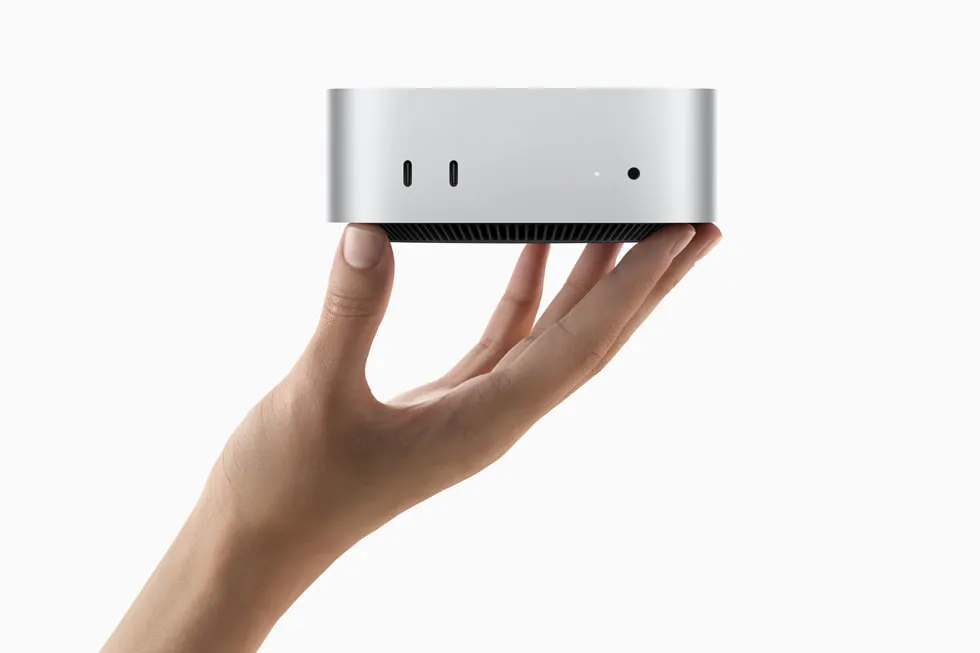
The Mac Mini has become the default recommendation on r/LocalLLaMA for anyone building a local AI setup. The reasons are simple: unified memory means no VRAM ceiling, Apple Silicon gets real performance per watt, and the form factor is smaller than most external hard drives. It started at $599 for the M4 base when this guide first published; Apple raised that to $799 in May 2026 amid an industry-wide memory shortage (Bloomberg). Even at $799, no other machine offers this combination of price, silence, and AI capability.
But which configuration should you actually buy? The answer depends on what models you want to run, and the gap between tiers is bigger than Apple's marketing suggests. This guide breaks down the three configurations that matter, with estimated speed figures, real power numbers, and honest recommendations.
Why the Mac Mini Beats a GPU Rig for Local AI
The Mac Mini's killer advantage isn't raw speed; it's the unified memory architecture. On a PC with an RTX 4070, you might have 64GB of system RAM but only 12GB of VRAM. Your model tops out at 7B on the GPU (vminstall.com). Anything larger spills into system RAM across the PCIe bus, and performance craters.
On a Mac Mini with 64GB, the GPU can address all 64GB with no PCIe copy penalty. A 32B model runs fully on-GPU. That's the entire advantage in one sentence.
| Feature | Mac Mini M4 Pro 64GB | PC + RTX 4090 |
|---|---|---|
| Usable AI memory | 64 GB (unified) | 24 GB VRAM |
| Memory bandwidth | 273 GB/s | ~1 TB/s (VRAM only) |
| Max model on GPU | 32B Q4 comfortably | 14B Q4 max |
| Power draw (AI load) | ~40W | ~450W |
| Idle power | Under 5W | ~80W |
| Noise | Silent (fanless base) | Loud under load |
| Price | $1,999-$2,499 | $2,500+ (GPU + system) |
Get told when a better model fits your Mac Mini M6 16 GB
One email when a new open-weight model beats these picks on your machine, plus the Thursday weekly.
For: Mac Mini M6 16 GB
You'll also get the weekly ModelFit email. By signing up you agree to our Privacy Policy. Unsubscribe from either email anytime, in one click.
The RTX 4090 has ~1 TB/s VRAM bandwidth, which is faster per-byte than Apple Silicon's 273 GB/s. But 24GB of VRAM is a hard wall. Once you need more than 24GB for a model, the Mac Mini wins outright.
Power matters too. The Mac Mini M4 idles under 5W and peaks around 40-65W during inference (xda-developers, insiderllm.com). Running 24/7, that costs about $25/year in electricity. An RTX 4090 system pulling 450W under load costs 10x that.
Benchmark Results: What Actually Runs on Each Configuration
Here's the part that matters. Real-world token generation speeds using Ollama and MLX on each Mac Mini tier:
M4 Base: 16GB ($799)
| Model | Quantization | Speed (est.) | Verdict |
|---|---|---|---|
| Llama 3.2 8B | Q4 | 18-22 tok/s | Usable chat speed |
| 8B models (optimized MLX) | Q4 | 28-35 tok/s | Fast with MLX |
| 14B+ models | Any | Swaps to disk | Don't try |
The $799 base model (it was $599 at launch before Apple's May 2026 price hike) is a legitimate local AI machine for 8B models. At an estimated 28-35 tok/s with optimized MLX, it feels real-time for chat and coding tasks (like2byte.com). But 16GB means ~9-11GB available after macOS overhead, so 14B+ models will swap and become unusable.
Buy this if: You want to experiment with local AI on a budget and 8B models meet your needs.
M4 Pro: 24GB ($1,399)
| Model | Quantization | Speed (est.) | Verdict |
|---|---|---|---|
| Mistral 7B | Q4 | 20+ tok/s | Fast |
| DeepSeek R1 14B | Q4 | ~10 tok/s | Technically runs |
| 14B with context | Q4 | Degrades fast | KV cache eats RAM |
The 24GB configuration is the trap tier. A 14B model loads and generates at an estimated ~10 tok/s, which sounds fine, until you add context. KV cache grows with conversation length, and on 24GB there's almost no headroom. The r/LocalLLaMA community consensus is blunt: 24GB is "unusable for real work" with meaningful context windows on 14B+ models.
At $1,399, you're paying $600 more than the base model for marginal gains. That $600 is better saved toward the 64GB configuration.
Buy this if: You specifically need the M4 Pro's extra CPU/GPU cores for non-AI tasks and 8B models are sufficient for your AI use case.
M4 Pro: 64GB ($1,999-$2,499)
| Model | Quantization | Speed (est.) | Verdict | |||||||||||||||||||||||||||||||
|---|---|---|---|---|---|---|---|---|---|---|---|---|---|---|---|---|---|---|---|---|---|---|---|---|---|---|---|---|---|---|---|---|---|---|
| Qwen 2.5 32B | Q4 | 10-15 tok/s | Production quality | |||||||||||||||||||||||||||||||
| DeepSeek R1 32B | 4-bit | 11-14 tok/s | Strong reasoning | |||||||||||||||||||||||||||||||
| 30B general | Q4-Q5 | 12-18 tok/s | Sweet spot | |||||||||||||||||||||||||||||||
| Qwen3.5 35B-A3B | 4-bit | 60-106 tok/s</td><td>MoE speed demon</td></tr></tbody></table></div>
\106 tok/s reported by Reddit user on M4 Max 64GB; MoE architecture activates only 3B parameters per token.
This is the sweet spot. The M4 Pro's 273 GB/s memory bandwidth combined with 64GB of unified memory makes it a "legit 30B-class local machine" according to r/LocalLLaMA users. You can run production-quality models with real context windows and still have RAM left for macOS and development tools. 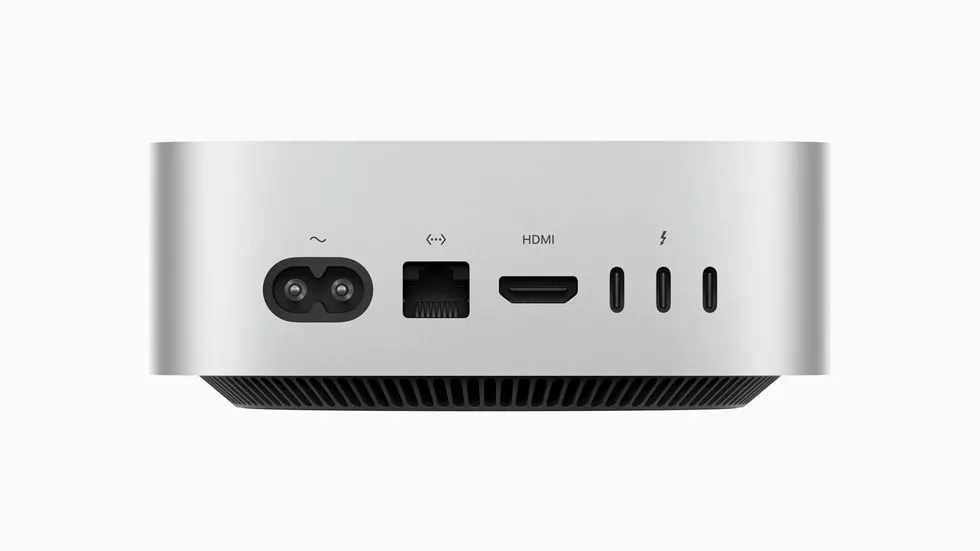
At Q4 quantization, a 32B model uses roughly 18-20GB. That leaves 40+ GB for KV cache, macOS, and your browser. You can hold long conversations without performance degradation. Buy this if: You want a serious local AI workstation. This is the configuration we recommend for most readers. The ROI Math: Mac Mini vs. CloudCloud GPU pricing makes the Mac Mini pay for itself fast. An H100 instance costs roughly $2.39/hour. Running local inference on a Mac Mini costs about $3/month in electricity.
If you run inference for more than ~4 hours per day, the Mac Mini pays for itself within 6-12 months. After that, every hour of inference is essentially free. For developers running agentic coding workflows, that threshold is easy to hit. Software Stack: Getting Started in 5 MinutesThe local AI software ecosystem on macOS is mature. Here's the stack most people use: Ollama is the default choice. One command to install, Metal acceleration out of the box, and it exposes an OpenAI-compatible API on port 11434. MLX is Apple's native ML framework. It can outperform llama.cpp on Apple Silicon because it's built specifically for the Metal GPU architecture. Use it when you need maximum tok/s from your hardware. LM Studio offers a GUI alternative with MLX support, good if you prefer clicking over typing commands. Open WebUI gives you a ChatGPT-style web interface that supports multiple users. Ideal if your Mac Mini serves a household or small team. What the Mac Mini Can't DoBeing honest about limitations saves you money and frustration:
Should You Wait for M5?The M5 chips are expected later in 2026. Reddit users report Apple is targeting roughly 3x prompt processing speed over M4. If prompt processing speed is your bottleneck (batch jobs, RAG pipelines), waiting could make sense. But token generation speed is memory-bandwidth-bound, and M5 bandwidth improvements are expected to be incremental (~15-20%). If you need a machine now and your workload is primarily interactive chat and coding, the M4 Pro 64GB is already excellent. The RecommendationHere's the short version:
The 64GB M4 Pro Mac Mini is the machine we recommend most. It runs models that match GPT-3.5 quality at an estimated 12-18 tok/s, costs $25/year to operate, fits on your desk, and keeps your data completely private. No other hardware at this price point comes close. FAQHow much does it cost to run a Mac Mini for AI 24/7?About $25 per year. The Mac Mini M4 idles under 5W and peaks at 40-65W during inference. At average US electricity rates ($0.16/kWh), continuous operation costs roughly $2-3 per month. Compare that to an RTX 4090 system at 450W, which costs $50+/month under constant load. Can the Mac Mini M4 16GB run DeepSeek or Llama 3?Yes, but only 7-8B parameter variants. The base 16GB model runs Llama 3.2 8B at an estimated 18-22 tok/s and optimized 8B models at an estimated 28-35 tok/s via MLX. Models above 14B parameters will swap to disk and become too slow for interactive use. For DeepSeek R1, you need the 14B distill at minimum, which requires 24GB+. Is 24GB enough for local AI on Mac Mini?For 7-8B models, yes. For anything larger, no. The r/LocalLLaMA community widely considers 24GB "unusable for real work" with 14B+ models because KV cache consumes the remaining headroom during longer conversations. The jump from 24GB to 64GB is where local AI becomes genuinely useful for production-quality models. Mac Mini or Mac Studio for local AI?Mac Mini M4 Pro 64GB handles everything up to 32B models. Choose the Mac Studio only if you need 96GB+ RAM for 40B-70B models, or if you want the M4 Max/Ultra chips for higher memory bandwidth. For most local AI use cases, chat, coding, RAG, the Mac Mini is the better value. What's the best model to run on Mac Mini 64GB?For general use, Qwen 2.5 32B Q4 delivers the best balance of quality and speed at an estimated 10-15 tok/s. For reasoning tasks, DeepSeek R1 32B at an estimated 11-14 tok/s is excellent. For raw speed, Qwen3.5 35B-A3B (a Mixture-of-Experts model) hits an estimated 60-106 tok/s because it only activates 3B parameters per token while maintaining 35B-class quality. Related Model Families:
Don't miss the next one for your Mac Mini M6 16 GBThis article covers one moment. Get one email when a newer open-weight model fits your machine better, plus the Thursday weekly with what changed. For: Mac Mini M6 16 GB You'll also get the weekly ModelFit email. By signing up you agree to our Privacy Policy. Unsubscribe from either email anytime, in one click. Where to buy for local AIbest configsStorage for your local model library
ModelFit may earn a commission on purchases through these links, at no extra cost to you. See how this changes your recommendation Run the wizardHave questions? Reach out on X/Twitter |