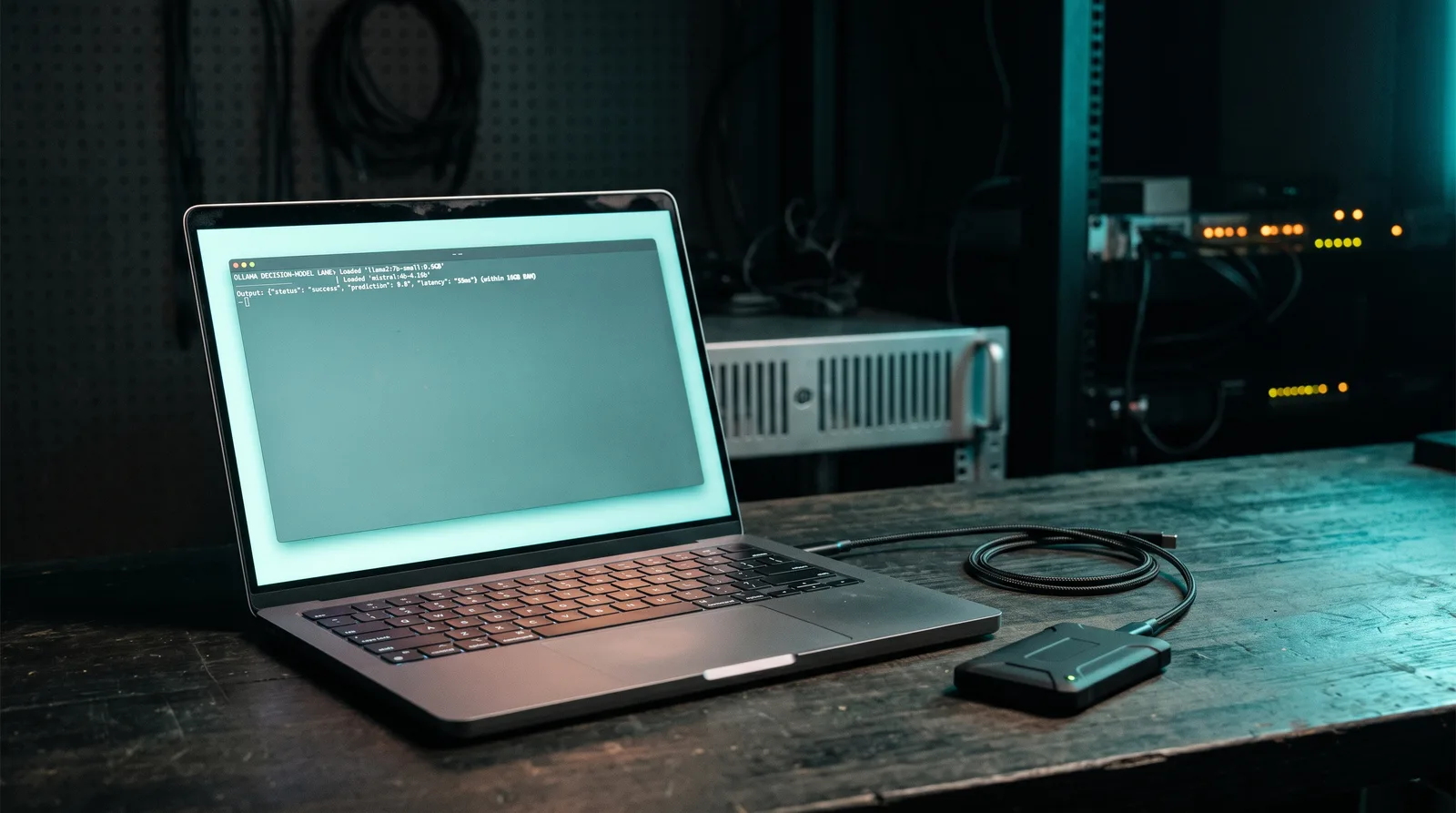
Ollama published v0.35.0 on 28 September 2026, and for the first time the runtime serves models that answer instead of writing. Decision models are models that return a choice, a score and a probability rather than generated text. However, this release arrives behind a brand-new endpoint and a pre-release tag, so the useful question is not what it does but what it costs on your laptop. Specifically, two artifacts carry the whole lane, and their file sizes decide which Mac takes them. In fact, we sized both artifacts against the memory tiers in our own recommendation engine before writing this, and the footprint is small enough to matter. What follows covers what v0.35.0 ships, what each file weighs, which Macs take them, and every latency figure with the name of whoever measured it.
TL;DR: Ollama v0.35.0 (pre-release, 2026-09-28) adds decision models over a new/v1/systemoneendpoint with three question types and up to 64 questions per call.nimblefrom Bespoke Labs is a 9.5 GB Q8_0 download (9.53 GB, or 8.87 GiB), andtev1from Together AI comes in 4.5 GB (4B) and 812 MB (0.8B). Both model definitions declarerequires: 0.35.0, and Ollama still ships 0.35.0 as a pre-release, so a stable install does not serve the endpoint yet. The fastest published Mac figure, under 100 ms on an M5 Max, comes from Ollama's own library page, and it is roughly 4.4x faster than the 444.0 ms median Bespoke Labs reports for the same model on an M5 Pro.
What v0.35.0 actually shipped
The release is real and it is substantial: a full changelog, a new API surface, and two model entries in the library. In practice, though, GitHub still flags it as a pre-release (prerelease=true, published 2026-09-28T21:23:22Z), while the newest non-pre-release release remains v0.34.4 from 2026-09-23. Notably, both library pages state the requirement plainly, and so does the model metadata itself.
- The endpoint is
POST http://localhost:11434/v1/systemone, and it takesmodel,state,questionsand an optionalkeep_alive. - Three question types:
choice(pick from a list, with probabilities per option),noul(the probability that a condition is true), andscore(a level on an ordered rubric, returned as a probability-weighted number plus a legend). - Up to 64 named questions per call, each one scored against the same
state. In addition, request bodies can be up to 64 KiB. choiceandscorequestions take 2 to 26 options. Confidence is a number from 0 to 1 that measures how concentrated the probabilities are, not how often the answer is right.- Answers are single letter codes. There is no JSON to parse out of a generation and no reasoning step to wait for, which is the whole speed argument for this lane.
None of that is on stable Ollama. The artifact config blobs in Ollama's registry carry "requires":"0.35.0" for both nimble and tev1, and each library page opens its README with "requires Ollama 0.35 or later". If you run v0.34.4, the endpoint is not there, and ollama pull nimble will give you a model your server cannot serve. Therefore, check ollama --version before you pull anything.
Two operational limits are worth knowing before you plan around it. In particular, decision models are not in the Ollama CLI or in the Ollama Python and JavaScript libraries yet, so the API or TypeSafe's Python SDK is the interface. Moreover, there is a second pre-release line, v0.40.0-rc0, published three days earlier than v0.35.0, whose changelog is entirely about running MLX-supported architectures by default on Apple Silicon. Its notes say nothing about the decision lane.
The two models, and exactly how big they are
nimble is Bespoke Labs' Q8_0 build of a Qwen3.5-9B LoRA fine-tune, and tev1 is Together AI's decision model family in two sizes.
| Model | From | Built on | Ollama metadata | Download | File type | License |
|---|---|---|---|---|---|---|
nimble | Bespoke Labs | Qwen3.5-9B, LoRA fine-tune on the answer tokens | 9.0B | 9.5 GB shown, 9,527,501,312 bytes (8.87 GiB) | Q8_0 GGUF | Apache 2.0 |
tev1:4b (the default) | Together AI | Qwen3.5-4B | 4.2B | 4.5 GB shown, 4,482,403,072 bytes (4.17 GiB) | Q8_0 GGUF | weights pending, see below |
tev1:0.8b | Together AI | Qwen3.5-0.8B | 752.39M | 812 MB shown, 811,843,424 bytes (774 MiB) | Q8_0 GGUF | weights pending, see below |
The download sizes are the ones Ollama displays. Meanwhile, we measured the byte counts and the model_type strings directly from the layer manifests and config blobs in Ollama's registry on 2026-09-29. Specifically, those manifests are the source of truth, and our catalog runs the same check on every model.
One detail here is easy to get wrong. The Hugging Face repository for Bespoke-Nimble-9B is about 165 MiB, because it is a LoRA adapter that needs the Qwen3.5-9B base checkpoint, and it does not duplicate the base weights. Ollama does not ship an adapter. Instead, the registry layer is named Bespoke-Nimble-9B-merged-current-Q8_0.gguf, which means Ollama ships merged weights, already quantized to Q8_0. The same holds for Tev1, whose layers are Tev1-4B-Q8_0.gguf and Tev1-0.8B-Q8_0.gguf.
That distinction matters for two reasons. First, quantization on a 9B model is not free, and Ollama runs a single Q8_0 build, so you get one quality and one memory profile with no knobs. Second, the authors produced their quality tables on merged weights in BF16 on an H100, not on a Q8_0 GGUF. The Bespoke Labs README says it straight: their team fitted the probability temperature on the unmerged adapter path, the Mac and Linux quickstarts use merged weights, and nobody rechecked the temperature on merged weights. As a result, probabilities are the least trustworthy part of the output on a local install. In fact, merged weights are the only build Ollama serves.
On licenses, the two families are not equivalent. Nimble is Apache 2.0. Tev1 is not a settled case, because both model cards say the base Qwen3.5 checkpoints are Apache-2.0 and that Together AI is still finalizing the release license for the fine-tuned weights. Meanwhile, Ollama's Tev1 page lists "the dataset builders and training scripts are MIT licensed" under Open, and nothing more. That said, treat Tev1 as an experimental release with a pending weights license, not as fully open weights.
Does it run on your Mac
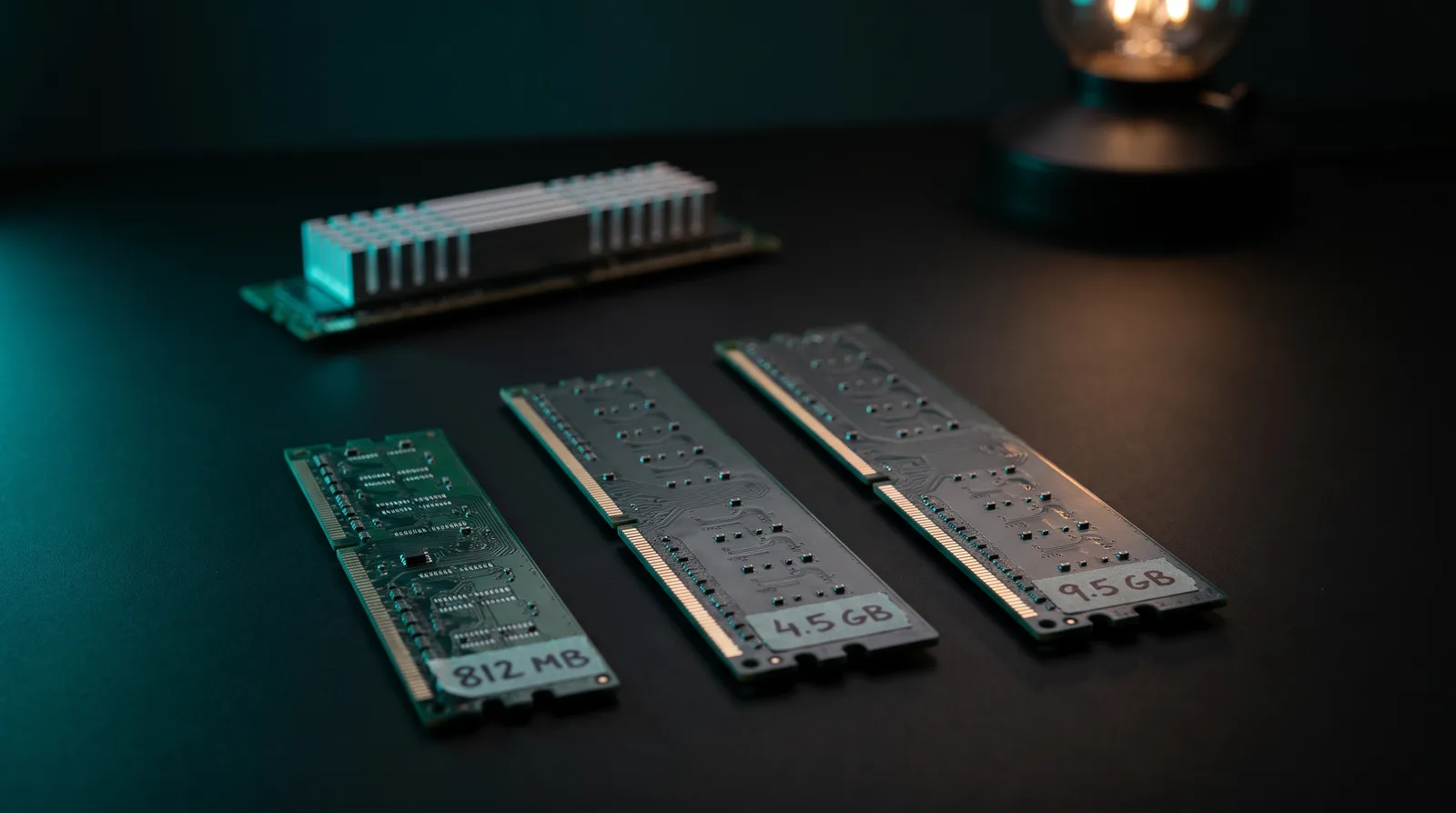
Here is where the ModelFit angle sits, because the answer is unusually friendly compared with the chat lane. Unified memory is the single pool of RAM that an Apple Silicon Mac shares between its CPU and its GPU. Specifically, the largest artifact in this whole release is 9.5 GB. Nothing here needs 32 GB of weights or a quant you have to hunt for.
| Unified memory | nimble (8.87 GiB) | tev1:4b (4.17 GiB) | tev1:0.8b (774 MiB) |
|---|---|---|---|
| 8 GB | Does not fit | Workable, with little left for macOS | Fits comfortably |
| 16 GB | Workable, not comfortable | Fits comfortably | Fits comfortably |
| 18-24 GB | Fits | Fits comfortably | Fits comfortably |
| 32 GB and up | Fits comfortably | Fits comfortably | Fits comfortably |
Read the verdicts as our call, not a vendor statement. [ORIGINAL DATA] We derived them from the file footprint above plus the fact that Ollama keeps the model resident in unified memory while a request is in flight. Two things keep the overhead genuinely small. The model definitions cap the context, and no generation phase exists, so nothing grows while you wait.
On the runner question, the honest answer is narrower than the marketing. Both models are GGUF Q8_0 files, and GGUF is the file format Ollama's llama.cpp path loads on Apple Silicon. However, Bespoke Labs also ships its own MLX scorer for the Mac, and its documentation is explicit that the MLX runner cannot load a LoRA adapter folder directly and does not support quantized weights at all. Consequently, that scorer is not what Ollama is running when you pull nimble. Bespoke Labs states plainly that Bespoke-Nimble-9B runs on a Mac with Apple Silicon. Notably, that claim is about their repository, not about Ollama's decision lane. Neither the release notes nor the library pages state a platform restriction, and neither one states which Ollama runtime handles /v1/systemone. As of publication that is undocumented, so treat the Apple Silicon path as supported by construction and not yet benchmarked end to end. In fact, we have not benchmarked it ourselves either, and neither has anyone else in public.
The numbers, and who measured them
This is the part where most coverage goes wrong, so read the attribution before the milliseconds. Every latency figure below is a vendor or author measurement. There is no independent reproduction of any of them.
| Metric | Value | Measured by | Context |
|---|---|---|---|
| Bespoke-Nimble-9B, 324 examples | 444.0 ms median, 546.0 ms mean, 981.0 ms p95 | Bespoke Labs README | M5 Pro, 64 GB, their MLX scorer, one question per example |
| Bespoke-Nimble-9B, 120 examples | 106.0 ms median, 110.1 ms mean, 119.8 ms p95 | Bespoke Labs README | H100, contrastive holdout |
| Nimble, Mac | under 100 ms | Ollama library page | MacBook Pro with an M5 Max, no dataset or path stated |
| Jev 1.13.0, 324 examples | 246.7 ms median, 267.0 ms mean, 347.4 ms p95 | Bespoke Labs README | TypeSafe API |
| Qwen3.5-9B base, 324 examples | 58.1 ms median | Bespoke Labs README | H100, for scale |
The two Mac numbers disagree by roughly 4.4x. The 444.0 ms median is the author's own measurement on an M5 Pro under their MLX scorer, with merged, unquantized weights. In contrast, the under 100 ms line is a single sentence in the "Highlights" block of Ollama's nimble page, with no chip caveat, no dataset and no runtime named. The higher of the two is the one with a methodology attached. Until somebody publishes a script and a machine, the only defensible position is that the decision lane is fast in the tens to hundreds of milliseconds per question on an M-series Mac. The exact figure to expect is unverified.
Similarly, quality needs the same treatment, and it carries an extra caveat: the headline 90.12 percent is a narrow test.
| Model | Reference matches, 324 held-out examples | Agreement |
|---|---|---|
| Gemma 3 270M IT | 93 / 324 | 28.70% |
| Qwen3.5-0.8B | 147 / 324 | 45.37% |
| Qwen3.5-4B | 199 / 324 | 61.42% |
| Qwen3.5-9B, nimble's base model | 215 / 324 | 66.36% |
| Qwen3.8-27B, untuned | 275 / 324 | 84.88% |
| Bespoke-Nimble-9B | 292 / 324 | 90.12% |
| Jev 1.13.0 | 302 / 324 | 93.21% |
Bespoke Labs reports the numbers above, and it labels its own test honestly. The 324 examples are 162 contrastive pairs, the labels are synthetic and model-checked rather than human-written, and all of them come from six source families. Moreover, it is a narrow test, so do not read 90.12 percent as general accuracy. Nimble also beat the untuned 27B by 17 labels, or 5.25 percentage points, and Jev beat Nimble by 10 labels, or 3.09 points.
Notably, the wider test is more useful, because the labels are human. On 3,880 records across 13 public datasets whose tasks fall outside Nimble's training categories, Bespoke Labs reports a macro average of 74.8 percent for Nimble 9B against 76.0 percent for Jev 1.13.0. Nimble leads on the rubric subsets (54.6 percent against 50.1) and trails on booleans (80.2 against 84.6). Meanwhile, Ollama's own pages report the same 13-dataset mix with Nimble and Tev1 running on Ollama: Nimble 9B at 75.7 percent, Tev1 4B at 73.3 percent, Tev1 0.8B at 63.5 percent, and Jev 1.13 at 76.0 percent. Neither page explains the gap between the 75.7 and 74.8 figures for Nimble, so treat it as measurement noise until someone repeats it.
Together AI's development numbers for Tev1 4B are 88.0 percent on a 1,000-item main decision set, 100 percent on a 300-item policy transfer set built from synthetic policies, and 1,300 of 1,300 valid single-letter answers. Hence, those figures are not an independent benchmark, because the team reused the same eval mix while building the model.
The context window contradiction, resolved

Both library pages list a 256K context window in their model tables. That number is not what Ollama runs. In fact, the shipped model definitions set the context explicitly:
nimbleships withnum_ctx8194, matching the model card's limit of 8,192 tokens per field. num_ctx is the window Ollama actually allocates. In particular, the library page repeats its own limit in prose: Ollama scores every question with the full state and question set in its prompt, and that prompt has to fit in Nimble's 8,192-token context.tev1ships withnum_ctx2050, and its page says Tev1 runs with a context of about 2,000 tokens, with the longest training example at about 1,500 tokens.
The 256K in the table is the architecture's ceiling, not your usable budget. Therefore, plan around 8,192 tokens of state plus questions for Nimble and roughly 2,000 for Tev1, and remember that Bespoke Labs warns shorter prompts are better tested, since training used prompts up to 2,048 tokens. That single number is the real constraint on this lane, not the memory footprint. It is the same trade the earlier decision-model work on Laya runs into from the other direction.
What changes if all you wanted was classification
If your job is a label, a route or a policy check, a chat model is an expensive way to get one. You pay for a token-by-token decode, you get prose you have to parse, and you get no calibrated probability unless you ask twice. On the other hand, the decision lane replaces that with one scoring pass per question, a single letter back, and a probability per candidate.
The practical wins are concrete. For example, twenty questions about the same ticket become one request with 64 answer slots available, instead of twenty prompts and twenty JSON validations. Answers are letter codes, so the parsing layer disappears. Moreover, probabilities let you route the uncertain cases to a human by threshold, which is what most classification pipelines actually want. And the largest model in the release is 9.5 GB, so the whole lane fits on a 16 GB Mac. In our experience fitting models to Apple Silicon, that is the first time a new Ollama lane has been this easy on a small machine.
The caveats are equally concrete. Each field is scored independently, so consistency between two answers is your problem to check in code, and a "no match" option is your responsibility to add. That said, a high probability is not a high accuracy rate. Calibration error is the gap between the confidence a model states and the accuracy it actually delivers. Nimble's own authors found that on the 64 rating questions in their held-out set, the expected calibration error rose from 0.105 to 0.177, so score-mode output is the least reliable part of the model. For the category context, see our post on the open-source prior art behind System One, and for the version you would be leaving behind, Ollama 0.34.4 on Apple Silicon.
What is not there yet
Three gaps, all verified on 2026-09-29.
- The CLI and the Ollama client libraries do not support decision models yet. Consequently, the API or TypeSafe's SDK is the interface.
- llama.cpp cannot do this upstream. Pull request 29321, "system-one: typed decision readout for models that answer instead of writing", is open and unmerged, created 2026-09-23. Pull request 29363, adding Laya support, is also open and unmerged, created 2026-09-24. Either one could merge tomorrow, which is why this paragraph carries a date. There is no GGUF path for Laya in Ollama today.
- The latency claim to beat is unverified. Nobody has published a Mac reproduction of the sub-100 ms line, and the only Apple Silicon figure with a method attached is the 444.0 ms median above.
If you are setting up Ollama for the first time, start with the Ollama install guide for Mac before pulling either model, and confirm you are on v0.35.0 or later.
FAQ
Does nimble run on my Mac?Yes, in the sense that both artifacts are ordinary Q8_0 GGUF files and nothing in the release notes restricts the endpoint to one platform. However, the open question is speed, not compatibility: no Mac measurement of the decision lane through Ollama has been published, and the two vendor figures for Mac differ by roughly 4.4x.
How big is the download?Nimble is 9.5 GB as shown in Ollama, or 8.87 GiB of model file. Tev1, the default 4B model, is 4.5 GB, or 4.17 GiB. Tev1 0.8B is 812 MB, or 774 MiB, and it is the one to take on an 8 GB Mac.
Is /v1/systemone available on stable Ollama?No. The models declare requires: 0.35.0, and Ollama published v0.35.0 on 2026-09-28 as a pre-release. The newest non-pre-release release is v0.34.4 from 2026-09-23.
The library table says 256K, but the shipped model definition sets num_ctx to 8194, and the page itself says the prompt has to fit in an 8,192-token context. Tev1 ships at num_ctx 2050. Budget 8K for Nimble and about 2K for Tev1.
Partly. The dataset builders and the training scripts are MIT licensed, and the base Qwen3.5 checkpoints are Apache-2.0. Both model cards say Together AI is still finalizing the release license for the fine-tuned weights.
Sources
- Ollama library: nimble (vendor benchmark tables, download size)
- Ollama library: tev1
- Bespoke Labs Nimble README on GitHub (324-example evaluation, H100 latency)
- Bespoke-Nimble-9B model card
- Together AI Tev1-4B-experimental model card
- Ollama v0.35.0 release notes
Match this model to a machine that can run it: by RAM tier for Apple Silicon, or by VRAM for an NVIDIA GPU.
The weekly local-AI refresh
New open-weight models, real Apple Silicon benchmarks, and the one model worth running on your Mac this week. Free, one email a week, unsubscribe anytime.
By subscribing you agree to our Privacy Policy and to receive the weekly email. Unsubscribe anytime.
Have questions? Reach out on X/Twitter