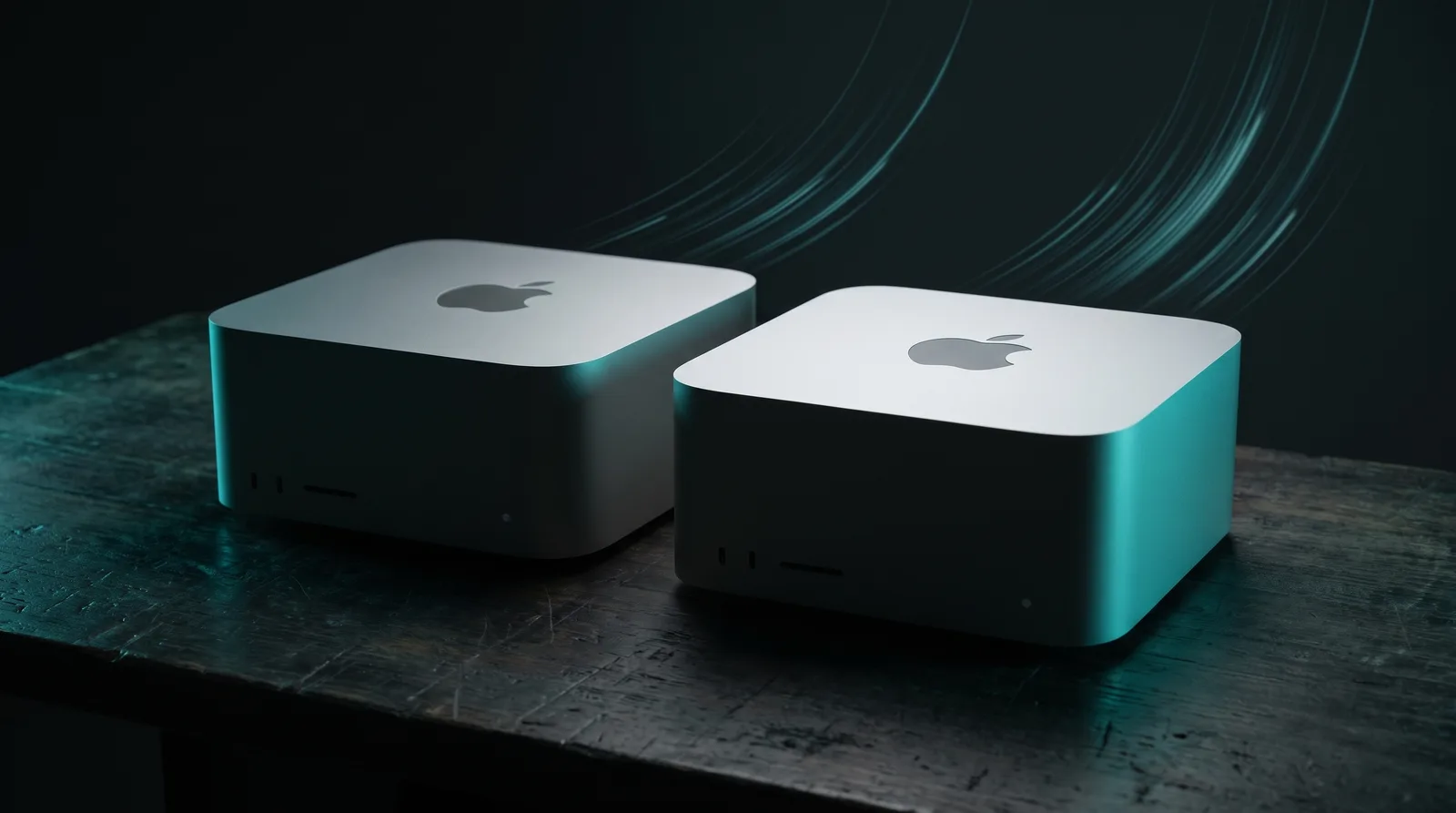
Apple announced the M5 Ultra Mac Studio on August 26, 2026, with shipping from September 22 for the 96GB and 256GB configurations and from late October 2026 for 512GB. For local LLM work, two numbers matter: 1.2 TB/s of memory bandwidth, a 50% jump over the M3 Ultra's 819 GB/s, and the return of the 512GB memory tier that disappeared during the 2026 DRAM shortage. The ModelFit engine's estimates for both chips show what the jump buys in practice, model class by model class.
TL;DR: The M5 Ultra's 1.2 TB/s of bandwidth is 50% above the M3 Ultra's 819 GB/s, and the ModelFit engine estimates 44% to 52% more tokens per second on every model class, for example about 136 versus 94 tok/s est. on an 8B Q4 model. The bigger news is capacity: the 512GB tier is back, and it is where Llama 4 Maverick (about 76 tok/s est. on an M5 Ultra and about 52 on an M3 Ultra, both at 512GB) runs comfortably.
The numbers that matter
Token generation on Apple Silicon is bandwidth-bound, so bandwidth is the headline. But the memory tiers tell the bigger story for large models.
| Spec | M3 Ultra (2025) | M5 Ultra (2026) |
|---|---|---|
| Memory bandwidth | 819 GB/s | 1,228.8 GB/s (1.2 TB/s) |
| Memory tiers at launch | 96-512GB | 96/256/512GB (512GB from late October 2026) |
| Memory tiers by mid-2026 | 96GB only (cuts) | n/a |
| CPU / GPU (max) | 32-core / 80-core | 36-core / 80-core |
| Neural Engine | 32-core | 32-core |
| Launch price | from $3,999 | from $5,499 |
| Max config price | n/a | $18,299 |
Get told when a better model fits your MacBook Air M5 16 GB
One email when a new open-weight model is a better fit for your machine, plus the Thursday weekly.
For: MacBook Air M5 16 GB
You'll also get the weekly ModelFit email. By signing up you agree to our Privacy Policy. Unsubscribe from either email anytime, in one click.
Context on the cut rows: Apple retired the 512GB M3 Ultra tier in early 2026 and the 256GB tier on May 5, 2026, during the global DRAM shortage. Owners of those configs keep full support, but new buyers were capped at 96GB until this announcement.
The M5 Max Mac Studio (460-614 GB/s, 36-128GB, from $2,499) sits below the Ultra and covers 27B-70B work. This comparison is about the Ultra tier.
What 512GB actually unlocks
A 70B Q4 model takes about 42GB of weights plus roughly 13GB of KV-cache at 32k context. A 96GB machine runs that, but with little room left for anything else. At 512GB the same workload uses about a tenth of the machine.
The tier change matters most for MoE models. gpt-oss-120b needs about 65GB at MXFP4 and runs well even at 96GB. Llama 4 Maverick, a 400B MoE, needs about 245GB at Q4: it simply does not fit in 96GB, it only just fits in 256GB with almost no room for macOS or context (the engine rates that fit as heavy), and it sits comfortably in 512GB with headroom for long context. On a 512GB M3 Ultra the engine puts Maverick at about 52 tok/s est., so the old top tier was already a working machine for it. What the M5 Ultra changes is the speed, about 76 tok/s est., and that the tier is on sale again.
Speed: what +50% bandwidth means in tok/s
All figures are ModelFit engine estimates as of October 22, 2026, computed from published bandwidth. No M5 Ultra hardware exists outside Apple yet, so treat these as directional.
| Model | M3 Ultra est. | M5 Ultra est. |
|---|---|---|
| Qwen3 8B Q4 | ~94 tok/s | ~136 tok/s |
| Qwen3 14B Q4 | ~60 tok/s | ~88 tok/s |
| Llama 3.3 70B Q4 | ~15 tok/s | ~22 tok/s |
| gpt-oss-120b (MoE) | ~101 tok/s | ~146 tok/s |
| Llama 4 Maverick 400B Q4 (512GB) | ~52 tok/s | ~76 tok/s |
The 50% bandwidth gain shows up as roughly 44% to 52% more tokens across every class, which matches how previous Ultra generations scaled. Maverick follows the same pattern, about 48% more at 512GB (52 to 76 tok/s est.). For a 400B-class model the difference between the two chips is therefore capacity and availability, not a change of kind: either needs the 512GB tier, and only the M5 Ultra is on sale with it.
Should M3 Ultra owners upgrade?
Most should not. If you own a 256GB or 512GB M3 Ultra, you already run nearly the same model classes (Maverick needs the 512GB tier); you would pay $5,499 for about 44% to 52% more speed on the same workloads. That is a nice bump, not a new machine.
The exception is the 96GB M3 Ultra bought after the 2026 config cuts. That machine caps out at 70B with trimmed context, and it cannot touch the 120B-plus MoE class with real headroom. For that owner, a 256GB or 512GB M5 Ultra is a genuine unlock.
The price gap is real: the M5 Ultra starts $1,500 above the M3 Ultra's $3,999 launch price. Against cloud GPU rental for regular large-model work, the hardware still pays for itself in months. Against an occasional chat habit, it does not.
FAQ
Is the M5 Ultra twice as fast as the M3 Ultra for LLMs?
No. The bandwidth jump is 50%, and ModelFit estimates scale almost the same way: about 136 tok/s est. versus 94 on an 8B Q4 model. CPU and GPU core counts grew modestly (up to 36 and 80). The bigger change is capacity: the 512GB tier is back.
Can the M5 Ultra run two large models at once?
Yes, at 256GB and above. You can keep a 70B dense model and a 120B MoE model resident at the same time and switch without reloads. Bandwidth is shared, so generating with both in parallel splits throughput between them.
Why did Apple remove the 512GB tier from the M3 Ultra?
Apple never explained the cuts beyond the supply situation, but they landed during the 2026 global DRAM shortage: the 512GB option disappeared first, and the 256GB option followed on May 5, 2026. The M5 Ultra restores both tiers: 256GB from the September 22 launch and 512GB from late October 2026.
M5 Max or M5 Ultra for local LLMs?
The M5 Max (460-614 GB/s, up to 128GB, from $2,499) covers 27B dense and 35B MoE models well and 70B at a pinch. Choose the Ultra when you need 70B with real context headroom, 120B-plus MoE models, or multi-model setups. Roughly speaking, the Max is the sweet spot; the Ultra is for the top end.
Verdict
The M5 Ultra is the strongest local-LLM Mac ever sold, mostly because the 512GB tier returns and bandwidth jumps 50%. New buyers with large-model ambitions should get the 256GB or 512GB config. M3 Ultra owners with big memory configs can comfortably wait for the M6 generation. Run your exact config through our Mac Studio M5 Ultra page before you pre-order.
Every speed here is a ModelFit engine estimate as of October 22, 2026, labeled est. How we work: about ModelFit. Corrections welcome: contact.
Don't miss the next one for your MacBook Air M5 16 GB
This article covers one moment. Get one email when a newer open-weight model fits your machine better, plus the Thursday weekly with what changed.
For: MacBook Air M5 16 GB
You'll also get the weekly ModelFit email. By signing up you agree to our Privacy Policy. Unsubscribe from either email anytime, in one click.
Match this model to a machine that can run it: by RAM tier for Apple Silicon, or by VRAM for an NVIDIA GPU.
See how this changes your recommendation
Run the wizardHave questions? Reach out on X/Twitter