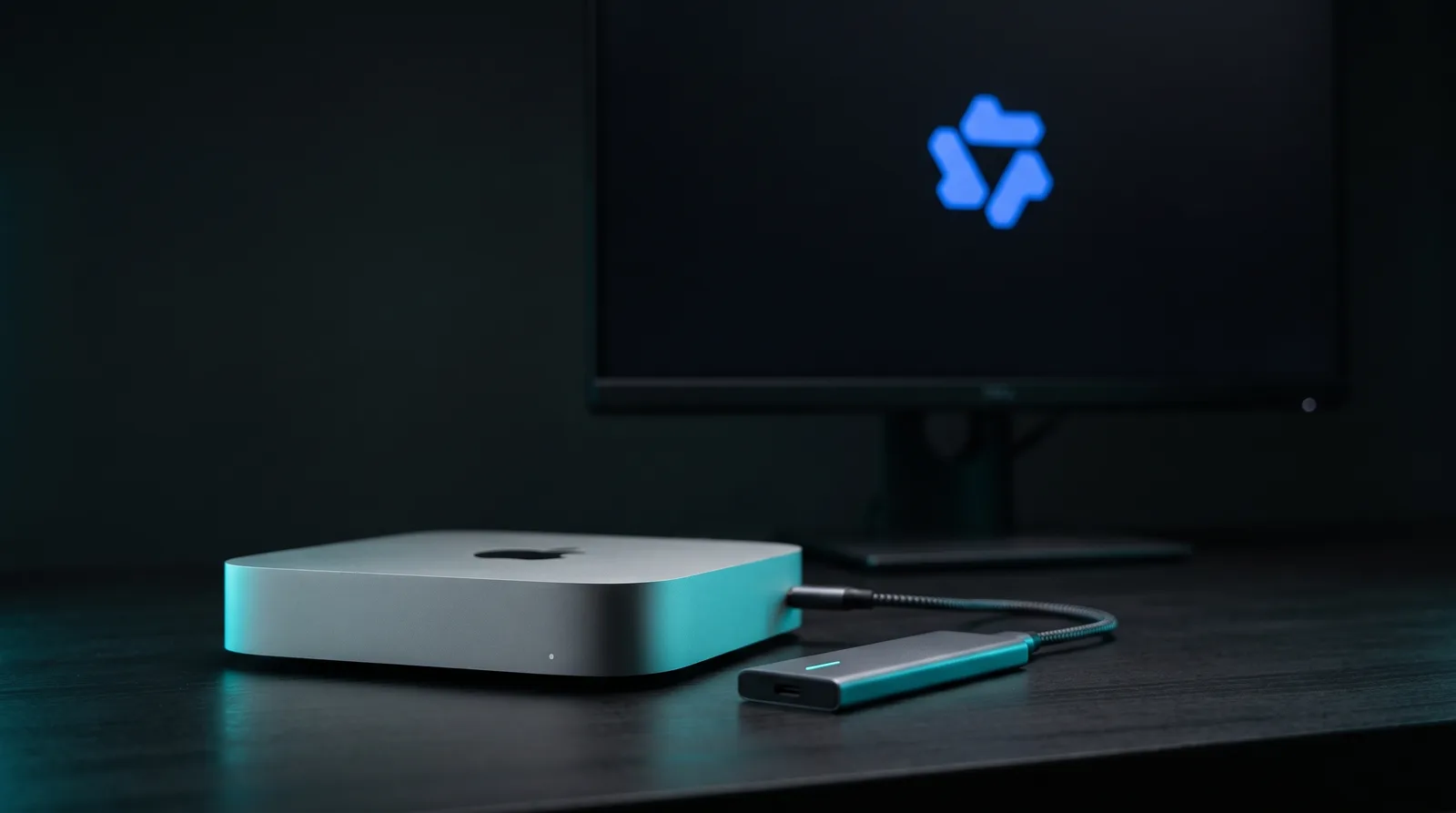
Strata, a free MIT-licensed engine built around one model, runs Qwen3.8-Flash-Next (125B parameters, 6B active) on Apple Silicon Macs by keeping the busiest experts in memory and streaming the rest from the SSD. Its maintainers measured 13.5 tok/s on a 32 GB M4 Mac mini and 108.2 tok/s on a 128 GB M5 Max, against 56.6 tok/s for llama.cpp on the same M5 Max (Strata Mac guide, 2026).
TL;DR: On a 128 GB Mac, Strata runs this model 1.5 to 1.9 times faster than llama.cpp for the builds that stay in memory. On a 32 GB Mac it is the difference between "does not fit" and about 9 to 14 tok/s, with slow long prompts. The Mac engine is new: measured on three Macs, with a quality gap at the 2-bit and 3-bit sizes it uses.
What is Strata, and why is everyone talking about it?
Strata is an open-source inference engine that exists to run Qwen3.8-Flash-Next on consumer hardware. The repository was created on September 24, 2026 and passed 29,900 GitHub stars within a month (GitHub, 2026). Its Hacker News launch, pitched as 100 tokens per second on an RTX 4090, reached 940 points and 420 comments on October 4 (Hacker News, 2026).
The Mac came later. An experimental Metal engine landed in version 0.1.44 on October 13, a signed and notarised Mac app shipped with 0.2.0-beta on October 19, and 0.2.2 added the compact Gyro builds on October 21 (Strata releases, 2026). Better Stack's video on the PC version, "This 125B AI Model Runs 5x Faster on My PC Than in the Cloud", put it in front of a wider audience (YouTube, 2026).
The model itself is worth the effort. Qwen reports SWE-bench Pro 62.5, GPQA Diamond 91.7 and LiveCodeBench v6 91.9 on its own harness (Qwen model card, 2026). Independently, Artificial Analysis gives it 40 on its Intelligence Index, where the median of comparable models is 19 (Artificial Analysis, 2026).
How does a 125B model fit on a 32 GB Mac?
It fits because only a sliver of the model works on each token. Qwen3.8-Flash-Next routes every token through 10 of 512 experts per layer, so most weights sit idle at any moment. Strata keeps the experts it sees most often in a memory arena and reads the others from the SSD as each token needs them, reading ahead the ones the next layer will probably use.
The engine makes that call by itself: it streams when the experts are more than 60% of Metal's share of memory (Strata Mac guide, 2026). Every build also carries a 28.8 GB n-gram table that stays on the SSD and is read a few rows at a time, so it never counts against memory.
Two tricks recover speed. On a streaming Mac, setup writes a second copy of the experts with each expert stored in one piece, so the SSD serves it in one read instead of three. On the 32 GB M4, after a 6K-token document, that lifted IQ3_XXS decode from 7.37 to 8.62 tok/s and cut the SSD wait per token from 46.6 ms to 31.5 ms. On a Mac that holds the model, the built-in MTP layer drafts tokens the full model then checks, which raised Q2_0 on the M5 Max from 87.3 to 108.2 tok/s on a story prompt. On the 32 GB Mac, MTP was slower, so it stays off there.
Which Mac memory tier runs which build?
The table below is Strata's own sizing for Macs. "Pack" is the file the GPU maps, "needs" adds prompt buffers, KV cache and the draft layer, and the 28.8 GB n-gram table comes on top on the SSD. Below the recommended memory, the engine switches to SSD streaming instead of refusing to start.
| Build | Pack | Needs | Mac from |
|---|---|---|---|
| Gyro-S | 29.7 GB | 38 GB | 48 GB, streams on 32 GB |
| Q2_0 | 37.6 GB | 46 GB | 64 GB |
| IQ3_S (default) | 54.8 GB | 63 GB | 96 GB |
| UD-Q4_K_XL | 82.6 GB | 91 GB | 128 GB |
| UD-Q5_K_XL | 103.9 GB | streamed | 128 GB |
Get told when a better model fits your MacBook Air M5 16 GB
One email when a new open-weight model is a better fit for your machine, plus the Thursday weekly.
For: MacBook Air M5 16 GB
You'll also get the weekly ModelFit email. By signing up you agree to our Privacy Policy. Unsubscribe from either email anytime, in one click.
Plan the disk too. The download is 66-84 GB plus about 7 GB for the pack and draft layer, and a Mac that streams needs another 34-40 GB for the experts' copy (Strata Mac guide, 2026). Intel Macs cannot run it, and macOS 15 or newer is required.
How fast is Strata on each Mac, and how does llama.cpp compare?
On the M5 Max with 128 GB, Strata decodes 1.5 to 1.9 times faster than llama.cpp with the same build, as long as the build stays in memory; the streamed UD-Q5_K_XL is about even. On the 32 GB Mac mini, llama.cpp could only run on the CPU, and Strata's streaming runs about twice as fast.
All decode figures below are tokens per second on a 200-token story answer, from Strata's guide; the 32 GB llama.cpp column ran CPU only. The M1 Max row is a community report on a short chat with Strata 0.2.2 (PR #3650, 2026).
| Mac | Build | Strata | llama.cpp |
|---|---|---|---|
| M5 Max 128 GB | Q2_0 | 108.2 | 56.6 |
| M5 Max 128 GB | IQ3_S | 94.7 | 51.1 |
| M5 Max 128 GB | UD-Q4_K_XL | 73.7 | 48.4 |
| M5 Max 128 GB | UD-Q5_K_XL, streamed | 46-51 | 45.1 |
| M4 Mac mini 32 GB | Q2_0, streamed | 13.5 | 6.3 |
| M4 Mac mini 32 GB | IQ3_XXS, streamed | 9.2 | 4.1 |
| M4 Mac mini 32 GB | Gyro-S, streamed | 9.14 | not run |
| M1 Max 32 GB | Q2_0, streamed | 11.8 | not run |
Prompt reading shows the same pattern. The M5 Max reads a 4K prompt at about 1,430 tok/s with Q2_0, where llama.cpp manages 887. The 32 GB Mac mini reads it at 93.6 tok/s, against 21.2 for CPU-only llama.cpp.
Long prompts are where a 32 GB Mac hurts. On the community M1 Max, a fresh 16K-token prompt took 70.78 s before the first token, and a 4K prompt took 18.12 s (PR #3650, 2026). Follow-up turns reuse the cache, so agent sessions recover some of that.
What about Ollama, oMLX and plain llama.cpp?
The other runtimes keep most or all of the model in memory, so they need more of it but no special engine. Ollama now carries official tags, all live today: qwen3.8-flash-next:125b-mlx at 105 GB and qwen3.8-flash-next:125b-a6b-q4_K_M at 120 GB (Ollama, 2026). Metal lets one program keep about 107.5 GB of a 128 GB M5 Max resident, per Strata's guide, so those downloads leave almost no room for context on a 128 GB Mac.
ollama run qwen3.8-flash-next:125b-mlxPublished speeds from other runtimes come from different Macs and builds, so read them as a range rather than a head-to-head. The oMLX rows generated 128 tokens at a 4K context, and the llama.cpp rows are llama-bench tg128 runs of AtomicChat's 84.9 GB build.
| Mac | Runtime, build | Decode |
|---|---|---|
| M3 Ultra 512 GB | oMLX, 4-bit, MTP on | 58.1 |
| M3 Ultra 512 GB | oMLX, 4-bit, MTP off | 22.2 |
| M5 Max 64 GB | llama.cpp, AtomicChat | 36.0 |
| M1 Max 64 GB | llama.cpp, AtomicChat | 17.59 |
The oMLX numbers come from its v0.6.3 release notes (oMLX, 2026). The AtomicChat build is 84.9 GB on disk but keeps only 45.8 GB in memory, because its n-gram table also stays on the SSD. It ran at 36.0 tok/s on a 64 GB M5 Max (AtomicChat, 2026) and at 17.59 tok/s on a 64 GB M1 Max (lilting.ch, 2026). That makes a 64 GB Mac a real option without Strata. A Swift engine built on the same streaming idea is covered in our SlotStream breakdown.
How much quality do the 2-bit and 3-bit builds lose?
Strata's small builds trade real accuracy for fit. On Strata's own test set, scored against the 8-bit Q8_0 build, the 4-bit UD-Q4_K_XL picks the same next token 93.09% of the time and Q2_0 only 80.60% (Strata quant guide, 2026).
Perplexity, where lower is better and Q8_0 scores 4.052, tells a flatter story: the 3-bit and 4-bit builds sit close together, and the clear break comes at Q2_0.
| Build | Same top token | Perplexity |
|---|---|---|
| UD-Q4_K_XL | 93.09% | 4.068 |
| UD-IQ4_XS | 88.91% | 4.120 |
| IQ3_S | 87.69% | 4.097 |
| IQ3_XXS | 84.46% | 4.119 |
| Q2_0 | 80.60% | 4.475 |
Early users also reported quality gaps beyond quantization, on the first PC builds and before the Mac engine existed. One Hacker News user ran a 50-image vision test and got a median error of 154.8 pixels through Strata against 46.5 through llama.cpp with the same GGUF (Hacker News, 2026). Another wrote that the same model "made more mistakes and hallucinated more" on Strata (Hacker News, 2026). Neither is a controlled benchmark, and Strata has shipped more than a dozen releases since.
What are the catches on a Mac?
The Mac engine is young. Strata's guide marks it as new, measured on an M5 Max, an M4 Mac mini and an M1 Max, and says other chips are untested. M2 Macs gave garbage answers in 0.1.44 until a hotfix in 0.1.44.1 (Strata releases, 2026).
On a Mac, Strata runs one model family. The Mac engine runs Qwen3.8-Flash-Next and its variants only; the smaller Qwen3.6-35B-A3B that Strata supports on PCs does not run on it (Strata models, 2026). For any other model you still need Ollama, oMLX or llama.cpp.
There is also no published Strata result for a 48 GB or 64 GB Mac yet. Its sizing recommends Q2_0 from 64 GB, but its own measurements stop at 32 GB and 128 GB. And once the experts no longer fit, the SSD sets the pace: fine for chat, painful for 16K-token documents.
How do you install Strata on a Mac?
The simplest path is the signed .dmg from the releases page: open it and drag Strata onto Applications. From source, ./setup.sh in the repository folder builds the Metal engine on your Mac in about 7 minutes, downloads the model and starts it (Strata README, 2026). Gyro builds are opt-in:
./setup.sh --family gyro --model Gyro-SWhat does ModelFit recommend for your Mac?
ModelFit's engine budgets the whole model in memory, the way Ollama loads it. That is why it starts Qwen3.8-Flash-Next at 128 GB with the 94 GB IQ4_XS build and flags a 32 GB Mac as impractical. SSD streaming sits outside that budget: on a 32 or 48 GB Mac, Strata is the way to try this model at all, and on 64 GB the AtomicChat build is the alternative.
For everything that runs fully in memory on your machine, pick your Mac in the configurator or run npx @wecko-ai/modelfit. The model page lists every build and fit, our RAM guide explains the tiers, and the launch analysis covers the architecture.
FAQ
Can I run Qwen3.8-Flash-Next on a 32 GB Mac?
Yes, with Strata. It streams the experts from the SSD, and its maintainers measured 13.5 tok/s with Q2_0 and 9.14 tok/s with Gyro-S on a 32 GB M4 Mac mini. Expect long first-token waits on big prompts: a community M1 Max needed 70.78 s for a 16K-token prompt.
Is Strata faster than llama.cpp on a Mac?
On Strata's own M5 Max measurements, yes: 108.2 against 56.6 tok/s with Q2_0, and 73.7 against 48.4 with UD-Q4_K_XL. Part of the lead comes from the model's MTP draft layer. Without it, Strata's Q2_0 still decodes at 87.3 tok/s.
Does Ollama run Qwen3.8-Flash-Next?
Yes. Ollama's library has official tags, including qwen3.8-flash-next:125b-mlx at 105 GB and 125b-a6b-q4_K_M at 120 GB. They load the whole model, so they suit Macs with well over 128 GB of memory, such as a 256 GB Mac Studio.
Which Strata build should I pick?
Take the largest build that fits without streaming: UD-Q4_K_XL on 128 GB, IQ3_S from 96 GB, Q2_0 from 64 GB, Gyro-S on 48 GB. On 32 GB, Gyro-S or Q2_0 stream from the SSD. Bigger builds keep more quality: UD-Q4_K_XL matches the 8-bit build's next token 93.09% of the time, Q2_0 80.60%.
Is Strata safe to install?
It is open source under the MIT license, and the Mac app is signed and notarised by Apple since 0.2.0-beta. It is also a month-old project with a fast release pace, so read the release notes before updating and keep the model files you know work.
Sources
- Strata repository and README, stars and creation date via the GitHub API, October 22, 2026.
- Strata Mac guide, M5 Max, M4 Mac mini and M1 Max measurements by the maintainers.
- Strata quant guide, quality against Q8_0.
- Strata releases, Mac milestones in 0.1.44, 0.1.44.1, 0.2.0-beta and 0.2.2.
- Community M1 Max report, PR #3650.
- Qwen3.8-Flash-Next model card, vendor-reported benchmarks.
- Artificial Analysis model page, Intelligence Index.
- oMLX v0.6.3 release notes, M3 Ultra measurements.
- AtomicChat GGUF card and the lilting.ch M1 Max test.
- Ollama tags, registry manifests checked on October 22, 2026.
- Hacker News launch thread and the Better Stack video.
Don't miss the next one for your MacBook Air M5 16 GB
This article covers one moment. Get one email when a newer open-weight model fits your machine better, plus the Thursday weekly with what changed.
For: MacBook Air M5 16 GB
You'll also get the weekly ModelFit email. By signing up you agree to our Privacy Policy. Unsubscribe from either email anytime, in one click.
Match this model to a machine that can run it: by RAM tier for Apple Silicon, or by VRAM for an NVIDIA GPU.
See how this changes your recommendation
Run the wizardHave questions? Reach out on X/Twitter