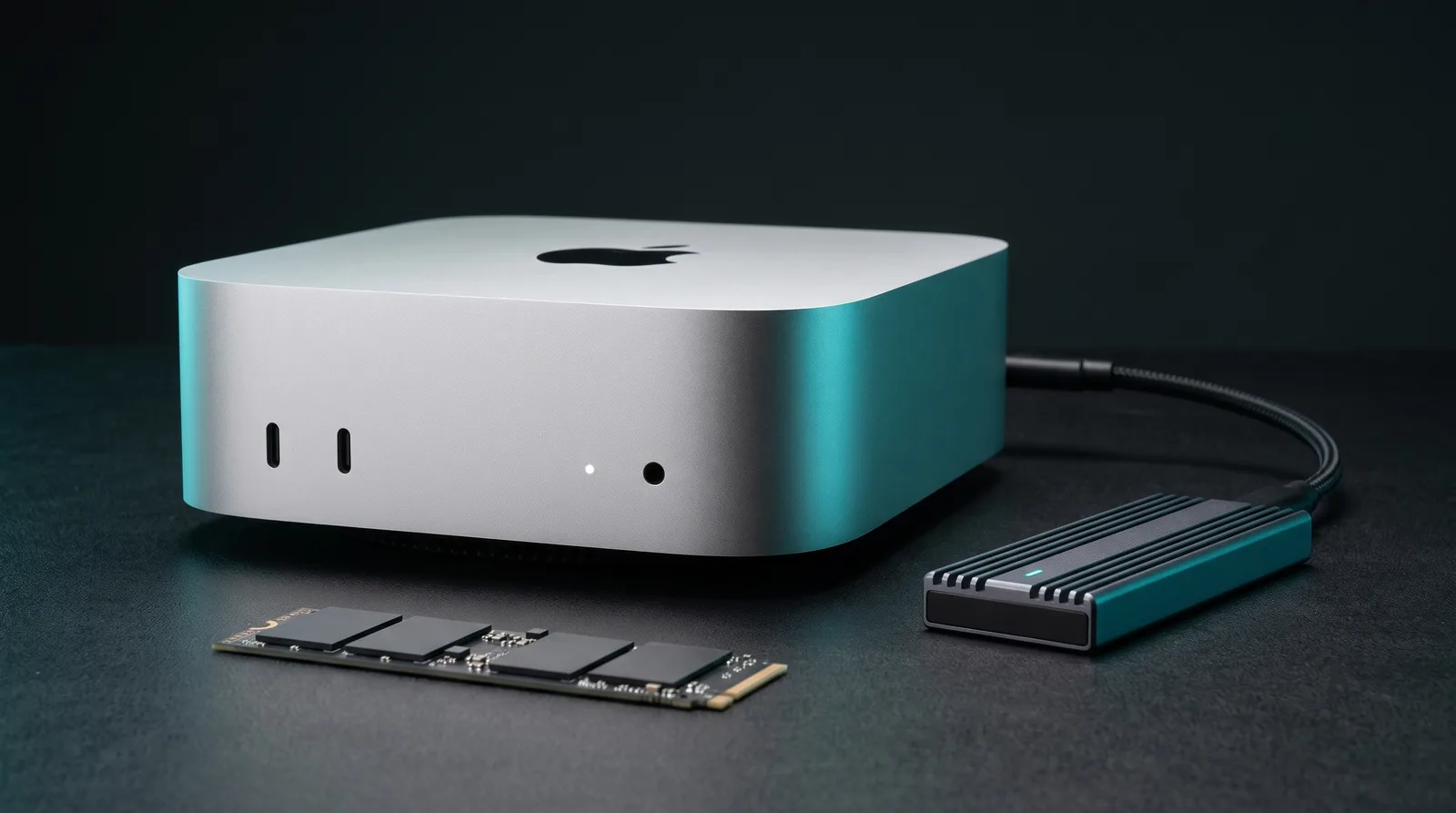
The best Mac Mini M6 for local AI is the 32GB model with the base 256GB SSD at $1,299, and the 24GB build at $1,099 is the budget floor. Both are build-to-order configs, paired with an external 40Gbps NVMe drive for your models. Apple charges the same $200 for each memory step as for a 512GB SSD (Apple Store, 2026). Spend it on memory: the storage is soldered, but memory decides which models you can run at all.
What is the best budget Mac Mini M6 config for local AI?
Buy the M6 with 32GB of memory and the 256GB SSD for $1,299, then store models on an external drive. On a tighter budget, the 24GB build costs $1,099, the same as the 16GB/512GB preset Apple puts in front of you. Both get 170 GB/s of memory bandwidth instead of 153 GB/s (Apple specs, 2026). The 24GB fits 20B-class MoE models, and the 32GB adds the 30B to 35B MoE class.
Here is every sensible config, with Apple's US list prices from its own configurator and the top pick from the ModelFit engine. Rows marked † are build to order: pick the memory on the $899 base in the configurator.
| Config | Apple price | Bandwidth | Engine pick | Verdict |
|---|---|---|---|---|
| M6 16GB / 256GB | $899 | 153 GB/s | Qwen3.5 9B, ~25 tok/s est. | Entry only |
| M6 16GB / 512GB | $1,099 | 153 GB/s | Qwen3.5 9B, ~25 tok/s est. | The trap |
| M6 24GB / 256GB † | $1,099 | 170 GB/s | GPT-OSS 20B, ~27 tok/s est. | Budget pick |
| M6 32GB / 256GB † | $1,299 | 170 GB/s | Gemma 4 26B-A4B, ~22 tok/s est. | Best for local AI |
| M6 24GB / 512GB | $1,299 | 170 GB/s | GPT-OSS 20B, ~27 tok/s est. | No external drive |
| M6 32GB / 1TB | $1,799 | 170 GB/s | Gemma 4 26B-A4B, ~22 tok/s est. | $500 is storage |
| M5 Pro 24GB / 512GB | $1,699 | 307 GB/s | GPT-OSS 20B, ~48 tok/s est. | Faster, same size |
| M5 Pro 48GB / 512GB | $2,299 | 307 GB/s | Qwen3.6 35B-A3B, ~39 tok/s est. | Step-up pick |
Get told when a better model fits your Mac Mini M6 16 GB
One email when a new open-weight model beats these picks on your machine, plus the Thursday weekly.
For: Mac Mini M6 16 GB
Prices come from the Apple Store configurator: $899 for the M6 base, $1,699 for the M5 Pro base, plus Apple's listed upgrade steps (24GB +$200, 32GB +$400, 512GB +$200, 1TB +$500, M5 Pro 48GB +$600). The engine pick is the top model once macOS takes its cut of memory: the ModelFit engine leaves about 11GB for weights and context on 16GB, 17GB on 24GB, 22GB on 32GB and 35GB on 48GB. Speeds are engine estimates, labeled est., not measurements.
The section below shows what the extra $200 for 32GB buys. Check your exact model on the Mac Mini M6 page before you pick.
Why is the 16GB M6 slower than the 24GB model?
The 16GB M6 loses twice. Apple's spec page lists 153 GB/s on 16GB and 170 GB/s on the 24GB and 32GB configs, so the base model has about 10% less bandwidth for token generation (Apple specs, 2026). Then it has 5 to 6GB less room for models, and that matters more.
9to5Mac spells out the split in its review: "153GB/s on the 16GB configuration" (9to5Mac, 2026). Apple's marketing pages only say "up to 170GB/s", which is the trap.
Capacity is the bigger problem. GPT-OSS 20B is a 14GB download in Ollama (Ollama, 2026). On 16GB that leaves almost nothing for macOS and the context window, so the engine rates it slow there and runnable on 24GB. A model that spills out of memory starts swapping to the SSD, and decode speed collapses.
How hard it collapses is easy to underestimate. In one Ollama bug report on an M4 Max, swap climbed to 31.6 GB and generation fell from 58.7 to 13.35 tok/s (Ollama issue #16698, 2026). That was a 64GB machine hitting a since-fixed bug, but the mechanism is the same on a 16GB Mini: once weights page to disk, the SSD sets the pace.
Gizmodo saw the practical gap. A Python script driven by Gemma 4 26B took 1 minute and 30 seconds on a 24GB M6 against 16 minutes and 30 seconds on its earlier 16GB M4 unit (Gizmodo, 2026). The chip changed too, so read it as a warning sign only.
Is the 32GB M6 worth $200 more than the 24GB?
Yes, if local AI is why you are buying. The extra 8GB lifts the engine's model budget from about 17GB to about 22GB, and that is the line where 30B to 35B mixture-of-experts models start to fit. Those models activate only 3B to 4B parameters per token, so once they fit, the M6's 170 GB/s runs them quickly.
| Model (download) | On 24GB | On 32GB |
|---|---|---|
| GPT-OSS 20B (14GB) | Tight fit, ~27 tok/s est. | Comfortable, ~27 tok/s est. |
| Gemma 4 26B-A4B (up to 19GB) | Tight fit, ~21 tok/s est. | Comfortable, ~22 tok/s est. |
| Qwen3.5 27B, dense (up to 20GB) | Tight fit, ~8 tok/s est. | Comfortable, ~8 tok/s est. |
| GLM-4.7-Flash 30B-A3B (19GB) | Slow, ~19 tok/s est. | Runs, tight, ~24 tok/s est. |
| Qwen3.6 35B-A3B (up to 24GB) | Unlikely to run | Runs, tight, ~20 tok/s est. |
Download sizes come from the Ollama tag pages for GLM-4.7-Flash, Qwen3.5 and the models linked below. "Tight" means the model fits but leaves little room for long context.
A public benchmark of a 32GB M6 at a 32k context shows what that buys in practice. Qwen3.6-35B-A3B in MLX 4-bit decoded at 63.2 to 68.8 tok/s, Gemma 4 26B-A4B at 45.5 to 53.3 tok/s and GPT-OSS 20B at 44.7 to 53.3 tok/s (HDZucht benchmarks, 2026). Those measured speeds sit well above the engine's estimates, which stay deliberately conservative.
The same benchmark shows where 32GB stops helping. Dense Qwen3.8 27B ran at 11.2 to 19.3 tok/s and Gemma 4 31B at 7.4 to 7.7 tok/s, because every token reads all of their weights. The 32GB upgrade pays off through MoE models. For ranked picks, see the best LLMs for the M6 Mac Mini 32GB.
Is the 256GB SSD in the M6 really half as fast?
Yes. The 256GB M6 reportedly uses a single NAND chip, and it reads at about half the speed of the 512GB model. AAPL Ch. measured 3,216.8 MB/s read and 3,000.2 MB/s write on the 256GB unit in Blackmagic Disk Speed Test, against 6,371.5 MB/s read and 6,577.4 MB/s write for a 512GB unit (AAPL Ch., 2026).
9to5Mac independently hit "6,000-6,400 MB/s" writes on its 512GB review unit (9to5Mac, 2026). MacRumors relays reports that every 256GB config uses a single NAND chip rather than a pair (MacRumors, 2026). One caveat from the Japanese coverage: the two test machines also had different memory, so it is not a perfectly matched pair.
Two details make this worse than on the M4:
- The storage is soldered. The M4 Mac mini had a removable SSD module, but the M6 storage is "soldered to the logic board once again" (9to5Mac, 2026). Expand Mac mini, which sold M4 upgrade modules, says support for the M6 now looks unlikely (Expand Mac mini, 2026).
- Apple's storage claim skips the base model. "Up to 2x faster storage" was tested on M6 and M4 systems both configured with 2TB SSDs (Apple, 2026). Its "up to 4.8x faster" LLM claim measures time to first token on a 32GB, 2TB machine. It says nothing about decode speed on the $899 config.
Does SSD speed change how fast a local LLM runs?
Not once the model is loaded. Token generation reads weights from unified memory, so memory bandwidth sets tok/s. The SSD matters in three places: cold model loads, swap when a model does not fit, and SSD streaming tricks such as llama.cpp's memory mapping or Swiftlet's expert streaming.
llama.cpp memory-maps model files by default ("mmap, unless a device does not support it"), so the first load reads straight from the disk (llama.cpp, 2026). Divide the file size by the read speed and you get the floor for a cold load:
| Model (download) | 256GB internal | USB4 drive | 512GB internal |
|---|---|---|---|
| GPT-OSS 20B (14GB) | about 4 s | about 4 s | about 2 s |
| Gemma 4 26B-A4B (up to 19GB) | about 6 s | about 5 to 6 s | about 3 s |
| Qwen3.6 35B-A3B (up to 24GB) | about 8 s | about 6 to 8 s | about 4 s |
Read speeds used: about 3.2 GB/s for the 256GB internal drive, 3.2 to 3.7 GB/s for a USB4 enclosure and 6.4 GB/s for the 512GB drive. These are lower bounds, not measured load times. Download sizes come from the Ollama tag pages for GPT-OSS, Gemma 4 and Qwen3.6. The gap between drives is a few seconds per load. You will feel it when you switch models often, never in the middle of a chat.
The real-world numbers back this up. Hans-Dieter Zucht published LM Studio runs on a 32GB M6 where every model loads from a 2TB NVMe drive in a 40Gb/s ASMedia enclosure. Qwen3.6-35B-A3B in MLX 4-bit decoded at 63.2 to 68.8 tok/s (HDZucht benchmarks, 2026). An external model drive did not hold decode back, and those figures sit well above the engine's conservative estimates.
Why put your models on an external SSD?
Because a Mac mini never leaves the desk, and Apple's storage is the most expensive storage you can buy for it. Going from 256GB to 2TB costs $1,000 on the M6, and you can never upgrade it afterward (Apple Store, 2026). An external drive costs a fraction of that, survives your next Mac, and on the M6 it reads about as fast as the 256GB internal SSD.
Models fill a drive faster than people expect. Five of the engine's M6 picks take about 85GB in Ollama at their largest tags: GPT-OSS 20B (14GB), Gemma 4 26B-A4B (19GB), Qwen3.6 35B-A3B (24GB), Qwen3.5 27B (20GB) and Qwen3.5 9B (7.6GB) (Ollama Qwen3.5 tags, 2026). Add MLX copies for LM Studio and the same model sits on disk twice, in two formats.
On a 256GB Mac, that is a third of the drive before macOS, apps and swap. Swap is the part to protect: keep the internal drive roomy, because that is where macOS pages memory when a model runs tight.
The port math favors external storage on the M6. Its rear ports are Thunderbolt 4 at up to 40Gb/s (Apple specs, 2026), and Thunderbolt 4 guarantees 32Gbps of PCIe data (Intel, 2026). Howard Oakley measured 3.7 GB/s read and write from OWC's Express 1M2 USB4 enclosure plugged directly into an M4 Pro Mac mini (Eclectic Light, 2024). OWC rates the same enclosure at 3,189 MB/s on Apple Silicon Macs. Either way, that matches or beats the 3.2 GB/s of the 256GB M6.
Which external SSD pack should you buy for the Mac Mini M6?
Buy a 40Gbps USB4 enclosure and a 2TB Samsung 990 Pro without a heatsink. Our enclosure pick is the OWC Express 1M2. OWC rates it at 3,189 MB/s on Apple Silicon Macs (OWC, 2026), and Howard Oakley measured 3.7 GB/s on an M4 Pro Mac mini. The pair costs a fraction of Apple's $1,000 2TB upgrade, and it moves to your next Mac.
Disclosure: the Amazon links below are affiliate links. ModelFit earns a commission if you buy, at no extra cost to you.| Part | Pick | Why |
|---|---|---|
| Enclosure (best) | OWC Express 1M2 | USB4 40Gb/s, independent Mac measurements, silent aluminum heat sink body, up to 8TB, 40Gb/s cable included |
| Enclosure (with a fan) | Acasis TBU405 Pro | Built-in fan and up to 8TB, but a Thunderbolt 3 class controller rated 2,805 MB/s |
| SSD | Samsung 990 Pro 2TB, no heatsink | Own 2GB DRAM cache, 1,200 TBW endurance, 5-year warranty |
| SSD (big library) | Samsung 990 Pro 4TB, no heatsink | Same drive, room for a large collection of 20B to 35B models |
Why the OWC over the Acasis TBU405 Pro. The controller decides the speed. The "40Gbps" on the box only names the port. Acasis builds the TBU405 Pro on an Intel JHL7440 and rates it at 2,805 MB/s (Acasis, 2026). APH Networks calls the JHL7440 "a Thunderbolt 3 controller" (APH Networks, 2024). That is slower than the M6's own 256GB drive. The OWC is a USB4 design, and Oakley's 3.7 GB/s figure for it came from an M4 Pro Mac mini (Eclectic Light, 2025).
The Acasis is still a fine choice if you want a fan. Loads take a second or two longer, nothing more. A read-heavy model drive does not need active cooling, which is why the passive OWC wins for a silent desk.
Why a 990 Pro behind a 3 GB/s link. Its rated 7,450 MB/s read is wasted on a 40Gbps port (Samsung, 2026). You buy it for the rest of the datasheet: a 2GB LPDDR4 DRAM cache, 1,200 TBW of rated endurance on the 2TB model and a 5-year warranty (Samsung datasheet, 2022). It also keeps its speed in a faster enclosure later, which matters if your next Mac has Thunderbolt 5.
Skip the heatsink version. The 990 Pro with heatsink measures 8.88 mm tall against 2.3 mm for the bare drive, and removing the heatsink voids Samsung's warranty (Samsung heatsink datasheet, 2023). Acasis says it plainly: "Don't buy SSDs with heatsinks."
Use a rear port. The two front USB-C ports on every M6 Mac mini are "USB 3 (up to 10Gb/s)" (Apple specs, 2026). OWC lists 990MB/s for the 1M2 on a 10Gb/s port (OWC, 2026), so the front panel costs you two thirds of the speed. Avoid docks too: Oakley saw writes drop to 2.3 GB/s through one (Eclectic Light, 2024).
Buying the M5 Pro instead? Its Thunderbolt 5 ports justify a Thunderbolt 5 enclosure such as the Acasis TB501 Pro, built on Intel's JHL9480 (Acasis, 2026). ASCII.jp measured 7051MB/s read and 6242MB/s write with a 990 Pro in Acasis's TB501 on an M4 Pro Mac mini (ASCII.jp, 2025). On the M6, a Thunderbolt 5 enclosure runs at 40Gbps, and ASCII.jp found the TB501 is not recognized at all on a USB 3.2 port.
How do you move Ollama, LM Studio and MLX models to the external drive?
Format the drive as APFS first. Apple recommends APFS "especially if your storage device is a solid-state drive" (Apple Support, 2026). Name it Models so the paths below work as written, then point each app at it.
Ollama. Ollama reads the OLLAMA_MODELS environment variable, and on macOS the docs say to set it with launchctl, then restart the app (Ollama FAQ, 2026):
mkdir -p /Volumes/Models/ollama
rsync -a ~/.ollama/models/ /Volumes/Models/ollama/
launchctl setenv OLLAMA_MODELS /Volumes/Models/ollama
Quit Ollama from the menu bar, start it again, and run ollama list to confirm your models show up. The docs do not say whether launchctl setenv survives a reboot, so check with launchctl getenv OLLAMA_MODELS after a restart. Keep the drive plugged in: one GitHub report describes the Ollama app showing a blank screen when the external model drive was missing (Ollama issue #11836, 2025).
LM Studio. Open My Models and change the models directory there; LM Studio's docs say "You can change the models directory by heading to My Models" (LM Studio docs, 2026).
MLX and Hugging Face downloads. Set HF_HOME in your shell profile so the Hugging Face cache lands on the external drive (Hugging Face docs, 2026):
echo 'export HF_HOME=/Volumes/Models/huggingface' >> ~/.zshrcThen run ollama run gpt-oss:20b on a 24GB M6 and the weights stream from the external drive at load time. To see what fits your exact memory, run npx @wecko-ai/modelfit in a terminal or use the hardware picker on the homepage.
When should you skip the M6 and buy the M5 Pro Mac Mini?
Buy the M5 Pro when you want speed on the same models, or more than 32GB. It doubles bandwidth to 307 GB/s and offers 48GB and 64GB (Apple specs, 2026). In the engine, GPT-OSS 20B goes from ~27 tok/s est. on the M6 to ~48 tok/s est. on the M5 Pro, and 48GB fits Qwen3.6 35B-A3B at ~39 tok/s est.
The M5 Pro also has Thunderbolt 5 ports at up to 120Gb/s (Apple specs, 2026), and Apple pitches them for clustering several Minis to run larger models. Its storage starts at 512GB, so the single-chip 256GB trap does not apply. It starts at $1,699, and the 48GB build is $2,299.
The rule of thumb: if your daily model is a 9B to 20B dense model or a 20B to 30B MoE, the 24GB or 32GB M6 is the value pick. If you want 35B MoE models with long context, or two models loaded at once, the M5 Pro 48GB is the machine. Our M6 Mac Mini overview and the RAM guide go deeper on each tier.
FAQ
Is 16GB enough for local AI on the Mac Mini M6?
It is enough for 7B to 9B models such as Qwen3.5 9B, at about 25 tok/s est. in the ModelFit engine. It is not enough for GPT-OSS 20B with a useful context window, and it runs at 153 GB/s instead of 170 GB/s. If local AI is the reason you are buying, spend the $200 on 24GB rather than on a 512GB SSD.
Can I upgrade the M6 Mac Mini's SSD later?
No. The M6 and M5 Pro Mac minis have their storage soldered to the logic board, unlike the M4 generation, which used a removable module. Third-party upgrade kits that existed for the M4 do not fit. Plan for external storage from day one, or buy the internal capacity you need at checkout.
Does running models from an external SSD slow down the LLM?
No. During generation the weights live in unified memory, so tok/s depends on memory bandwidth. The external drive only changes cold load time, by a few seconds on a 40Gbps enclosure. One public M6 benchmark loads every model from an external USB4 drive and still records 63 to 69 tok/s on Qwen3.6-35B-A3B in MLX.
Should I get 24GB or 32GB on the M6?
Get 32GB if local AI is the main reason you are buying. For $200 more it runs Qwen3.6 35B-A3B and GLM-4.7-Flash, which the 24GB cannot hold, and gives Gemma 4 26B-A4B room for long context. Both run at 170 GB/s, so the same model runs at the same speed. Get 24GB only if GPT-OSS 20B class models cover your work.
Is a Thunderbolt 5 enclosure worth it on the Mac Mini M6?
No. The M6 has Thunderbolt 4 ports at up to 40Gb/s, so a Thunderbolt 5 enclosure runs at 40Gbps speed on it. A good USB4 enclosure already gets close to that port's limit. A Thunderbolt 5 enclosure only pays off on the M5 Pro Mac Mini, whose ports reach up to 120Gb/s.
Sources
- Apple: Mac mini tech specs
- Apple Store: Mac mini configurator
- Apple: Mac mini product page and test footnotes
- Apple Newsroom: Mac mini with M6 and M5 Pro
- AAPL Ch.: M6 Mac mini 256GB SSD speed
- 9to5Mac: M6 Mac mini review
- 9to5Mac: M6 Mac mini storage is soldered
- MacRumors: new Mac mini SSD cannot be removed
- Expand Mac mini: M6 and M5 Pro soldered storage
- Gizmodo: M6 Mac mini review
- HDZucht: Mac mini M6 LLM benchmarks
- Eclectic Light: Thunderbolt 5 and USB4 SSD speeds
- Eclectic Light: encryption and external SSD speed
- OWC: Express 1M2 specs
- Acasis: TBU405 Pro specs
- APH Networks: Acasis TBU405 Pro review
- Acasis: TB501 Thunderbolt 5 enclosure
- ASCII.jp: Thunderbolt 5 enclosure on the M4 Pro Mac mini
- Samsung: 990 Pro 2TB and 990 Pro datasheet
- Intel: Thunderbolt 4 PCIe requirements
- Ollama FAQ (raw)
- Ollama issue #16698 and issue #11836
- llama.cpp server README (raw)
- LM Studio docs: download a model
- Hugging Face: environment variables
- Apple Support: APFS for external SSDs
Don't miss the next one for your Mac Mini M6 16 GB
This article covers one moment. Get one email when a newer open-weight model fits your machine better, plus the Thursday weekly with what changed.
For: Mac Mini M6 16 GB
Where to Buy for Local AI
best configsArchive your model library off the internal drive. Quantized models run 5 to 40GB each, so 2TB holds dozens with room to spare.
Check price on Amazon40Gbps external storage fast enough to run models from. Pair it with an M.2 drive for a portable model vault.
Check price on AmazonMore ports for the external drives, displays and peripherals around a local-AI workstation.
Check price on AmazonCheapest way into the 24GB sweet spot: runs 14B models comfortably and 30B MoE via mmap.
Check price at AppleMore headroomLoads 70B-class models and leaves room for a multi-model local stack.
Check price at AppleModelFit may earn a commission on purchases through these links, at no extra cost to you.
Have questions? Reach out on X/Twitter